
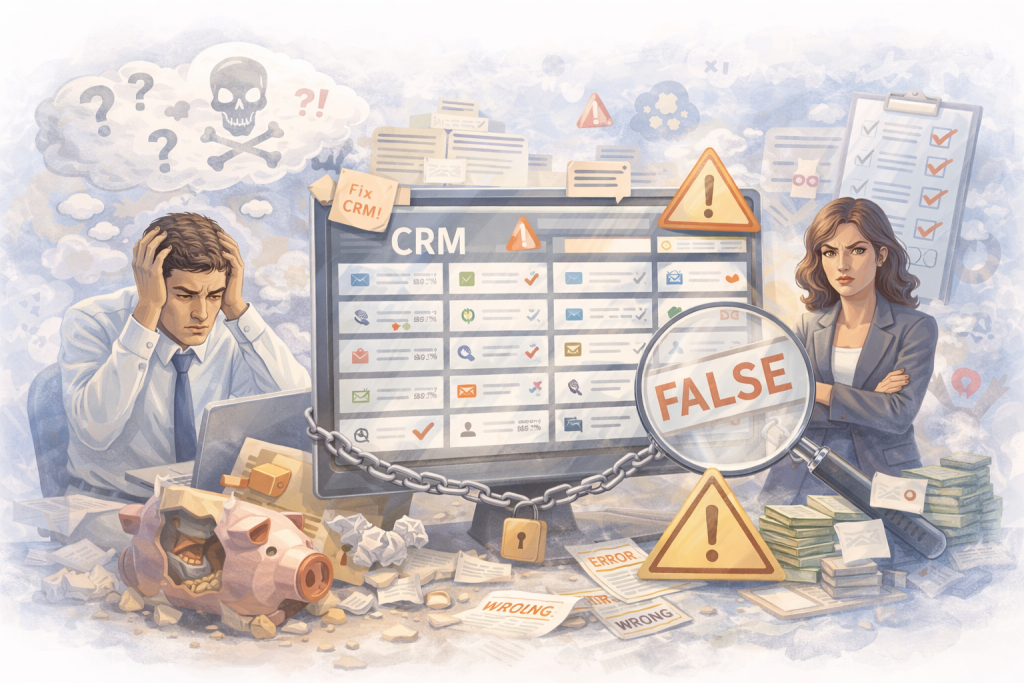
Somewhere inside your firm, there is a CRM. It was purchased with good intentions. It was set up once, partially, by someone who no longer works at the firm or by the managing partner during a motivated weekend.
It has 200 custom fields. Fourteen lead stages with names like “New,” “New – Hot,” “Follow Up,” “Follow Up 2,” “Pending,” “Waiting,” and “Misc.” Nobody is entirely sure what the difference is between “Pending” and “Waiting.” Nobody has ever deleted “Misc.”
The intake coordinator logs some leads but not all. Source tagging is inconsistent — sometimes the coordinator writes “Google,” sometimes “web,” sometimes nothing. Half the contacts have no phone number. A third have no case type. There is a column called “Notes” that contains everything from “called back, no answer” to “brother-in-law referred, needs help with green card, also asking about citizenship for mother.”
The managing partner opens the CRM once a month, sees this chaos, does not trust any of it, and goes back to counting cases from the billing system and memory.
The firm has a CRM. The firm does not have a system. And until the system exists, the tool is just expensive software that makes everyone feel guilty for not using it properly.
Why this happens at almost every immigration firm
The CRM problem is not laziness. It is a predictable result of how law firms adopt technology.
The tool was configured by someone who did not understand the firm’s workflow. Many CRMs are set up by the vendor’s onboarding team, who creates a generic template with fields designed for all law firms. Immigration firms have specific intake flows, case types, language needs, and referral patterns that generic templates do not account for. The firm inherits 50 fields that are irrelevant and is missing 3 fields that actually matter.
Nobody defined what the CRM is supposed to track. The firm bought the CRM to “organize leads.” But nobody sat down and answered the real questions: What counts as a lead? When does a lead become a consult? When does a consult become a case? Who updates the status? How often? What happens when someone forgets? Without answers to these questions, the CRM becomes a container for random data instead of a system for tracking outcomes.
The intake team was never properly trained. The intake coordinator was told “log leads in the CRM” but was never given a specific protocol. What gets logged? Which fields are required? What stage does a new lead start in? What triggers a stage change? Without a protocol, each person on the team develops their own habits. One logs everything. Another logs half. A third only logs leads that seem “serious.” The data becomes unreliable, and once people stop trusting the data, they stop entering it.
Fields accumulated and nobody cleaned up. Every time someone had a new idea — “we should track referral source” or “we need a field for preferred language” — a new custom field was added. Nobody ever deleted the fields that were no longer used. The CRM became a graveyard of abandoned tracking ideas, and the intake team learned to ignore most of what they see on screen.
The CRM does not have a data problem. It has a definition problem. Nobody told the system what to track, and nobody told the team how to use it. Everything else follows from that.
What a working CRM actually looks like for an immigration firm
A CRM that works does not need 200 fields and 14 stages. It needs 5 stages, a handful of required fields, and a team that uses it the same way every time.
Here is the entire pipeline an immigration firm needs:
Stage 1: New Lead
Someone contacted the firm. They called, filled out a form, sent a message, or were referred. They exist in the system. Nobody from the firm has spoken with them yet.
Required fields: Name, phone number, lead source (Google Ads, LSA, referral, organic, directory, walk-in, other), date/time of inquiry, case type if known.
Stage 2: Contacted
Someone from the firm spoke with the lead or exchanged messages. The lead is real, responsive, and has been qualified at a basic level. The intake coordinator has enough information to determine whether a consultation makes sense.
Required fields: Contact date/time, contact method (phone, text, email), basic case summary (one line), qualified yes/no.
Stage 3: Consult Scheduled
A consultation has been booked. Date, time, and format (in-person or virtual) are confirmed. The prospect has received a confirmation message.
Required fields: Consult date/time, format, assigned attorney.
Stage 4: Consult Held
The consultation actually happened. The attorney met with the prospect and discussed the case. This is not the same as “scheduled” — the distinction matters because no-shows are one of the biggest leaks in the pipeline.
Required fields: Consult outcome (interested, needs follow-up, not a fit, no-show).
Stage 5: Retained / Not Retained
The prospect either signed a retainer agreement or did not. This is the final outcome. For “not retained,” a brief reason is helpful (fee concern, chose another firm, case not viable, lost contact).
Required fields: Outcome (retained / not retained), case type, fee amount (if retained), reason for decline (if not retained).
That is it. Five stages. A small set of required fields at each stage. No “Pending.” No “Misc.” No ambiguity about what each stage means or who moves the lead forward.
If the intake coordinator can look at any lead in the CRM and immediately tell you: where they came from, what stage they are in, and when the last action was taken — the CRM is working. If they cannot, the CRM is just a database of names.
The one-week cleanup framework
You do not need to migrate to a new CRM. You do not need a consultant. You need five focused days to turn the tool you already have into a system your team actually uses.
Day 1–2: Delete every field nobody uses
Open your CRM and look at every custom field. For each one, ask: “Does the intake team fill this in consistently? Does anyone look at this data when making a decision?” If the answer to both questions is no, hide it or delete it.
Most immigration firms will discover that 60–70% of their custom fields are unused. A “Preferred Contact Method” field that nobody fills in is not just clutter — it is visual noise that makes the intake screen harder to navigate, which makes the team less likely to enter the fields that actually matter.
What to keep: Name, phone, email, lead source, case type, preferred language (if the firm serves multilingual clients), and any field your team actually uses every week.
What to delete or hide: Every field that was added “just in case,” every duplicate field with slightly different names, every field that has been empty for 90%+ of records, and every dropdown with 30 options that should have 5.
Time: 2–3 hours. One person. Do it in one sitting so you do not lose momentum.
Day 3: Define the 5 stages
Replace whatever stages currently exist with the 5-stage pipeline described above: New Lead → Contacted → Consult Scheduled → Consult Held → Retained / Not Retained.
Delete “Pending,” “Waiting,” “Follow Up 2,” “Hot Lead,” “Maybe,” and every other stage that does not have a clear, objective trigger for entering it. If you cannot write one sentence explaining when a lead moves into a stage, that stage should not exist.
Write the stage definitions on a single page. Tape it to the wall next to the intake coordinator’s desk. It should answer: What triggers a move to this stage? Who is responsible for moving it? What happens if a lead sits in this stage for more than 48 hours?
Time: 1–2 hours to restructure the stages in the CRM and write the definitions.
Day 4: Set source tagging rules
Create a standardized list of lead sources. This list should be a dropdown in the CRM, not a free-text field. Free text is how you end up with “Google,” “google,” “Google Ads,” “PPC,” “web,” and “online” all meaning the same thing.
Recommended source list for immigration firms:
Google Ads, Local Services Ads, Google organic, Google Business Profile, referral (with a separate field for referral source name), directory (Avvo, Justia, etc.), social media, walk-in, attorney referral, community/ethnic media, other.
The rule: Every lead gets a source tag before any other work is done. If the intake coordinator does not know the source, they ask: “How did you hear about us?” That question takes 5 seconds and transforms the firm’s ability to measure which channels produce retained cases.
For referrals specifically: Add a field for “Referral source name.” When someone says “my cousin told me about you,” the coordinator asks “what is your cousin’s name?” and logs it. Over time, this reveals which referral relationships are most productive — information that is worth more than any agency report.
Time: 1–2 hours to create the dropdown, update the CRM, and write the tagging protocol.
Day 5: Train the intake team
This is the day that determines whether the cleanup sticks or decays back to chaos within a month.
Hold one 30-minute meeting with everyone who touches the CRM. Cover three things and nothing else:
1. The 5 stages and what triggers each transition. Walk through a real lead from last week. Show exactly how it should have moved through the pipeline. Ask the team to identify which stage it is in right now and what the next step should be. If there is disagreement, that is exactly what this meeting is for.
2. The required fields and when to fill them. Show the cleaned-up intake screen. Point to the 6–8 fields that are required. Explain that if a lead does not have a source tag and a phone number, it is not logged correctly. Make this a non-negotiable.
3. The “How did you hear about us?” question. Role-play it once. The coordinator answers the phone, greets the caller, and at some point in the first two minutes asks the question. The answer goes into the source dropdown. This is the single highest-value data point the intake team captures, and it costs nothing.
Time: 30 minutes. One meeting. No slides. Just a conversation about how the team will use the system starting Monday.
The training is not about teaching the team how to use software. It is about creating shared agreement on what gets tracked, who tracks it, and what each stage means. That agreement is the system. The CRM is just where the system lives.
What changes after day 5
By the end of the week, the firm should have:
A clean intake screen with only the fields that matter. The intake coordinator can log a new lead in 60 seconds instead of navigating 200 fields and guessing which ones to fill in.
A 5-stage pipeline where every lead has a clear location. The managing partner can open the CRM and see: we have 12 new leads, 8 have been contacted, 5 have consults scheduled, 3 held consults last week, 2 retained. That view did not exist before.
Source tagging on every new lead. Within 30 days, the firm will have enough tagged data to answer the question that has been unanswerable until now: which channels are actually producing retained cases?
A team that uses the CRM the same way. Not because they were threatened, but because the system is finally simple enough to use consistently. When the tool is clean and the rules are clear, compliance goes up naturally.
Data the managing partner can trust. The Sunday-night spreadsheet session is no longer necessary. The partner opens the CRM, sees the pipeline, and makes decisions based on what the system shows. That is the point.
The two mistakes that will undo everything
Mistake 1: Adding fields back. Within two weeks, someone will say “we should also track X.” Maybe it is a good idea. Maybe it is not. Either way, do not add it until the 5-stage pipeline has been running cleanly for at least 60 days. Every new field is a potential crack in compliance. The first two months are about discipline, not features.
Mistake 2: Not enforcing the standard. If one person on the intake team stops tagging sources or skips stages, the data degrades within a week. Someone needs to check the CRM every Monday for untagged leads, leads sitting in the wrong stage, and contacts with missing required fields. That weekly check takes 10 minutes and is the difference between a system that works and a system that slowly returns to chaos.
The CRM is not the problem
Clio works. Lawmatics works. MyCase works. HubSpot works. The tool is not the problem. The problem is that nobody defined what the tool should track, gave the team clear rules for using it, or cleaned up the accumulated mess of fields, stages, and labels that make the data untrustworthy.
Five days. Delete the clutter. Define 5 stages. Set source tagging rules. Train the team. Check compliance weekly.
That is the difference between a CRM and a system. And a system is what lets the firm finally see where leads come from, where they get lost, and what marketing is actually producing retained cases.
The CRM is not the problem. The fact that nobody defined what it should track is the problem. Fix the definition, and the tool starts working.
Lexfull helps immigration law firms fix intake, visibility, and growth execution.
If your firm has a CRM that nobody trusts and a pipeline nobody can see, book a Growth Diagnostic and we will show you what needs to change.