
Most immigration law firms do not need a new CRM. They need the one they already have to work.
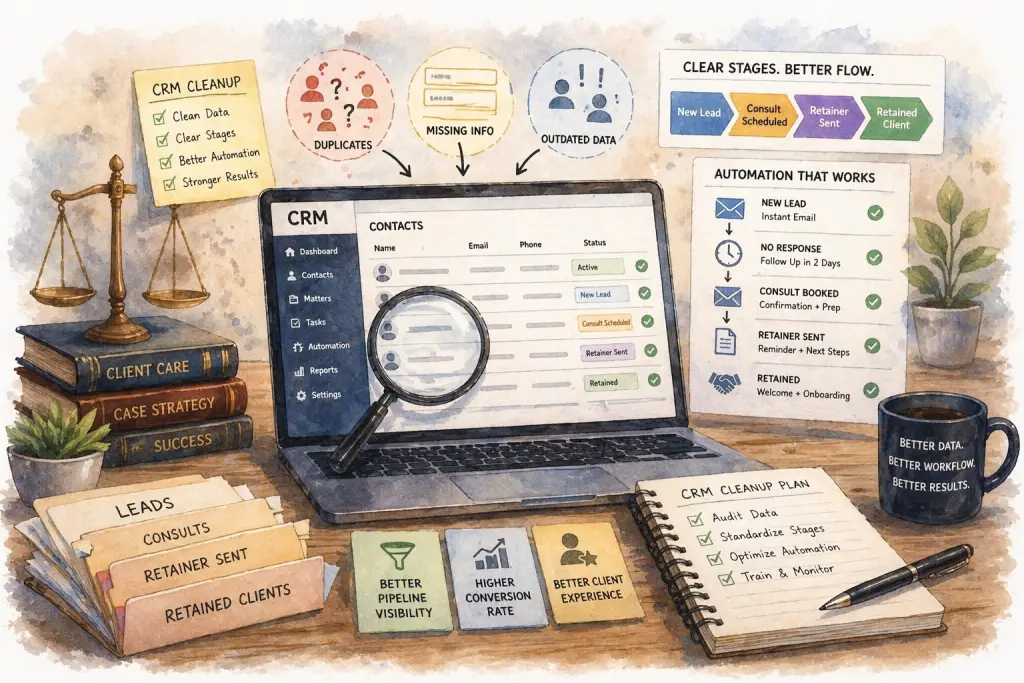
The firm spent money on Clio Grow, Lawmatics, HubSpot, Salesforce, or some combination. The sales demo looked great. The onboarding was completed. The intake team was trained. And six months later, the CRM is a junk drawer. Half the leads have no source tag. Pipeline stages have names nobody remembers the definition of. Custom fields multiply faster than anyone maintains them. Automations fire at the wrong time or not at all. And when the managing partner asks a simple question — “how many Google Ads leads became retained cases last month?” — nobody can answer with confidence because nobody trusts the data.
That is the real problem. Not the software. The software is fine. The problem is that the firm installed a CRM and skipped the part where someone designs the stages, enforces the fields, writes the automations, and reviews the data every week. Without that operational layer, even the best CRM becomes expensive paperwork.
This article is a practical guide to law firm CRM cleanup for immigration firms with 2–20 attorneys. It covers stage design, field hygiene, ownership rules, automation logic, and the dashboard that turns the CRM from a data entry tool into a decision-making tool. The goal is not to sell you on new software. The goal is to make the system you already have produce the numbers you actually need.
Why most law firm CRMs quietly fail
A CRM fails for predictable reasons. Understanding them is the first step in fixing the data, the stages, and the workflows.
The CRM was bought, not designed. Someone signed up for Clio Grow or Lawmatics, accepted the default pipeline, added a few custom fields, and called it done. Nobody mapped the firm’s actual workflow into the tool. Nobody decided what each stage means operationally. The CRM became a generic container for messy data.
Nobody owns it. The intake team uses it. The managing partner occasionally looks at it. The marketing agency sometimes pulls reports from it. But no one person is accountable for data quality, stage definitions, automation logic, or the weekly review of whether the numbers are accurate. Shared ownership is no ownership.
The stages were copied from a template. “New,” “Contacted,” “Qualified,” “Proposal Sent,” “Closed Won,” “Closed Lost.” Those stages work for a B2B SaaS company. They do not describe what happens in an immigration firm. And when stages do not match reality, the team either ignores them or misuses them — and either way, the data becomes useless.
Custom fields were added without governance. Every partner asked for a field they wanted to track. Every agency asked for fields for their campaigns. Every vendor added a requirement. Now there are 80 fields, half of them empty, and nobody knows which ones matter.
Automations were installed but never audited. A welcome email was set up in 2023. A consultation reminder was built in 2024. A no-show follow-up was added later. Nobody knows what is currently firing, whether the content is still accurate, or whether two automations are sending the same message twice. The automation layer becomes a mystery box.
Source tagging is optional. The “Source” field exists but is not required. Some leads have it. Some do not. The ones that do often say “Phone” or “Web” with no further detail. Without clean source data, the firm cannot attribute retained cases to channels — which means the entire marketing budget is evaluated on feel instead of facts.
The CRM did not fail because it was the wrong tool. It failed because the firm installed software and skipped the operating system. Law firm CRM cleanup is about installing that operating system — the rules, the ownership, and the discipline — into the tool the firm already pays for.
7 signs your law firm CRM needs cleanup
Before committing to any cleanup work, confirm that the problem is the CRM setup and not the software itself. These are the specific diagnostic signs that point to a configuration and discipline problem rather than a tool problem.
1. You cannot pull a clean retained-case-by-source report. The simplest test. Open the CRM and ask: how many retained cases last month came from Google Ads, organic, LSAs, GBP, and referrals? If the answer requires exporting to a spreadsheet, cleaning data manually, or the numbers do not add up, source tracking is broken.
2. Pipeline stages have multiple definitions. Ask three people at the firm what “Qualified” means. If you get three different answers, the stage is undefined. Stages without clear entry and exit criteria become subjective — and subjective data is not data.
3. More than 20% of leads have blank or “Other” source fields. Pull the last 100 leads. Count how many have a specific, actionable source (Google Ads — Family Based Campaign, Referral — Maria Gonzalez, LSA, GBP). If more than 20 are “Other,” “Phone,” “Web,” or blank, attribution is unreliable.
4. Leads sit in intermediate stages indefinitely. Run a report: how many leads have been in “Contacted” or “Consult Scheduled” for more than 30 days? If the answer is double digits, the team is not moving leads through the pipeline — or the stages do not match reality.
5. The managing partner uses a separate spreadsheet. If the partner maintains their own tracking document because they do not trust the CRM, the CRM is failing at its job. A spreadsheet is a symptom — the partner needs numbers the system is not producing reliably.
6. Automations misfire or duplicate. Clients receive two welcome emails. No-show recovery texts fire for prospects who already retained. Consultation reminders go out at 3am. If you cannot confidently list every active automation and what it does, the automation layer needs an audit.
7. The intake team avoids entering data. If the front desk skips fields, uses the same generic source tag for everything, or enters free-text notes instead of using structured dropdowns, the CRM is either too complex or not enforced. Either way, the data will never be clean.
If four or more of these signs apply, the issue is not that the firm needs a better CRM. The firm needs to fix the CRM it has. Switching tools without fixing the underlying operational problems produces the same mess in a different interface within 90 days.
Stage design: fewer stages, clearer definitions
The most common CRM design mistake in law firms is too many stages. Firms start with the vendor’s 8-stage template, add 4 custom stages for their own workflow, and end up with 12 stages nobody can keep straight. The solution is fewer, well-defined stages with explicit entry and exit criteria.
For most immigration firms, five stages are enough to track the entire pipeline from inquiry to retained case:
Stage 1: New Lead. The inquiry has been captured (phone, form, chat, referral, walk-in). Source is tagged. Contact information is recorded. No outbound contact has occurred yet. Entry: inquiry arrives. Exit: first outbound contact attempt.
Stage 2: Contacted. The firm has made first outbound contact — answered the call, returned the missed call, responded to the form, or replied to the chat. The lead has been qualified or is in the process of qualification. Entry: first contact. Exit: consultation scheduled or lead disqualified.
Stage 3: Consult Scheduled. A consultation is on the calendar. Confirmation sequence is active. Entry: consult booked. Exit: consult held, no-show, or cancellation.
Stage 4: Consult Held. The consultation happened. The attorney met with the prospect. A follow-up sequence is active if no immediate decision was made. Entry: consult takes place. Exit: retained or not retained.
Stage 5: Retained / Not Retained. The outcome is decided. Retained cases move to the matter management system. Not-retained cases include a reason code: fee, timing, chose competitor, not a fit, unresponsive after follow-up. Entry: decision made. Exit: case closed in CRM (retained cases continue in matter management).
Every stage has explicit entry criteria (what has to be true to move a lead into this stage) and explicit exit criteria (what has to happen for the lead to leave). The intake team should be able to point at any lead in the CRM and explain what stage it is in and why.
When to add stages — and when not to
Some firms want additional granularity: a “Qualified” stage between Contacted and Consult Scheduled, or a “Proposal Sent” stage between Consult Held and Retained. Add stages only when all three conditions are true:
The firm needs the data from that stage for decision-making, not just tracking. The stage has clear entry and exit criteria that every team member will apply consistently. Adding the stage will not increase data entry burden to the point where the team stops using it.
If any of those conditions fails, do not add the stage. Fewer stages that are used consistently produce better data than more stages that are used inconsistently.
The goal of stage design is not to capture every nuance of every case. It is to produce trustworthy numbers on the pipeline. Five clean stages produce better numbers than twelve messy ones.
Field hygiene: keep only what you will use
Every field in the CRM either helps the firm make a decision or creates data entry friction. There is no neutral field. If a field is not being used in reports, automations, or day-to-day workflow, it should not exist.
Required fields
These fields must be populated on every lead with no exceptions. They are the foundation of clean data.
Source. Mandatory dropdown with standardized values: Google Ads – [campaign name], LSA, Organic Search, GBP, Referral – [referrer name], Directory – [directory name], Social – [platform], Walk-In, Other – [note required]. No free text. No blanks allowed.
Contact method. How did the lead arrive: Phone, Form, Chat, Text, Email, Walk-In. Single-select dropdown.
Case type. Mandatory dropdown with the firm’s actual practice areas: Family-Based, Employer-Based, Removal Defense, Naturalization, Asylum, Other. Enables case-type analysis of acquisition economics.
Language preference. English, Spanish, Russian, Chinese, Portuguese, or other. Triggers language-specific automations and intake scripts.
Lead owner. Who on the intake team is responsible for this lead. Enables accountability and workload tracking.
Timestamps. Created date, first contact date, consult scheduled date, consult held date, retained date, closed date. Most are auto-populated by the CRM. Timestamps enable speed-to-lead and pipeline velocity reporting.
Optional fields worth keeping
Qualification notes. A short free-text field for the qualification call. Keeps the intake conversation in one place without requiring structured data.
Case value estimate. For firms that want to segment acquisition cost by expected case revenue. Requires consistent use to be valuable.
Not-retained reason. Mandatory when a lead is marked Not Retained. Dropdown: Fee, Timing, Chose Competitor, Not a Fit, Unresponsive After Follow-Up, Other. Enables analysis of why consults do not convert.
Fields to delete
Any field that is not required, not feeding an automation, not feeding a report, and not used by intake in daily workflow. If a field has been empty on 80% of records for 6 months, it is clutter. Delete it. The team will not miss it.
Field bloat is the silent killer of CRM data quality. Every optional field the team sees increases cognitive load during data entry. Fewer fields used consistently produces better data than more fields used occasionally.
Ownership rules: who touches what, and when
Clean CRM data requires clear rules about who is responsible for entering, updating, and auditing information. Without ownership rules, gaps accumulate and nobody knows whose job it was to fix them.
Intake team owns data entry. Every new lead is logged by the intake coordinator who handled the first contact. Source, contact method, case type, language preference, and qualification notes are populated at that time — not later.
Intake team owns stage progression. Moving a lead from one stage to the next is the intake team’s responsibility, triggered by the defined exit criteria. If a consult is booked, Stage 2 becomes Stage 3 immediately. Not at end of day. Not at end of week. In real time.
Attorneys own consult outcomes. After a consultation, the attorney or a designated team member updates the lead to Consult Held and adds the outcome: Retained, Not Retained with reason, or Pending with follow-up date. This closes the pipeline loop with accurate decision data.
One person owns CRM quality. The intake manager, office manager, or fractional growth partner owns overall data quality. They run a weekly audit: how many leads are missing source tags, how many are stuck in intermediate stages, how many consults are unclosed, how many automations fired correctly. They fix what is broken and escalate what is not being followed.
The managing partner owns the dashboard. The partner does not enter data. The partner reviews the dashboard once a week, asks questions when numbers look off, and holds the CRM owner accountable for data quality. If the partner is entering data, the system is broken.
Automation logic: what to automate and what to leave alone
Automations multiply the value of clean data and multiply the chaos of messy data. Before automating anything, confirm the underlying data and stage logic are working. An automation that fires on bad data sends a welcome email to a prospect who already retained, or a no-show recovery text to someone who showed up.
These are the automations that produce the most operational value for immigration law firms when built on clean data.
Automation 1: After-hours auto-response. Trigger: form fill or missed call outside business hours. Action: immediate text or email with firm name, brief message, scheduling link, in the client’s likely language based on the source. Impact: captures 30–40% of after-hours demand.
Automation 2: Missed-call text-back. Trigger: inbound call not answered live. Action: text within 60 seconds with firm name and scheduling link. Impact: recovers 20–30% of missed calls that would otherwise be lost.
Automation 3: Consultation confirmation sequence. Trigger: consult booked. Actions: immediate confirmation with date, time, attorney, and document checklist; 24-hour reminder; 1-hour reminder. All in the client’s preferred language. Impact: show rate moves from 65% to 85%+.
Automation 4: No-show recovery workflow. Trigger: consult marked no-show. Actions: 15-minute text offering reschedule, 24-hour email with rebooking link, 48-hour final text. Impact: recovers 20–30% of no-shows.
Automation 5: Post-consult follow-up. Trigger: Consult Held with outcome Pending. Actions: 24-hour check-in text, 3-day email with clear next step, 7-day final outreach. Impact: captures prospects who needed time to decide, particularly in immigration where family involvement is common.
Automation 6: Stale-lead alerts. Trigger: lead sits in any intermediate stage longer than the defined threshold (48 hours in Contacted, 7 days in Consult Scheduled). Action: notification to intake manager. Impact: prevents leads from quietly dying in the pipeline.
What not to automate
Do not automate anything that requires human judgment. Qualification cannot be automated. Fee presentation cannot be automated. The decision to move a lead from Contacted to Not Retained should not be triggered by a timer — it should be an explicit disposition by the intake team with a reason code.
Do not automate communication that should feel personal. A confirmation text is fine. A “thank you for considering our firm” email that sounds like it came from a robot damages trust, especially with immigration clients who are already cautious. If an automation will be obviously automated, the message should acknowledge that or be kept functional (scheduling link, appointment reminder) rather than relational.
Automation should reduce the work the team has to do, not replace the work the team should be doing. If an automation is saving the team time on qualification or conversion, it is probably doing the wrong job.
The dashboard: what clean CRM data makes possible
The point of law firm CRM cleanup is not cleaner data for its own sake. It is decision-ready data. The dashboard is where clean data becomes actionable. A functional pipeline dashboard answers seven questions in under 10 minutes of review.
1. Leads by source this week, this month, and trending. Shows the top of the funnel. Reveals which channels are producing volume and which are degrading.
2. Speed to lead by source. Shows whether response time is meeting SLA, and whether any source is being handled faster or slower than others.
3. Pipeline stage counts. How many leads are in each stage right now. Reveals where the pipeline is stalling.
4. Lead-to-consult, consult-held, and consult-to-retainer rates. The conversion funnel. Shows where the biggest drop-off is and where to focus operational improvement.
5. Retained cases by source. The outcome metric. Shows which channels are producing actual revenue, not just activity.
6. Cost per retained case by channel. Combines CRM data with spend data. The single most important number for marketing decisions.
7. Not-retained reason breakdown. Shows why consults are not converting: fee, timing, competitor, fit. Reveals patterns that can be fixed at the consultation or follow-up stage.
This dashboard should be visible in the CRM itself or in a simple BI tool (Looker Studio, Google Sheets with auto-refresh, HubSpot dashboards). It should update daily or in real time. The managing partner reviews it every Monday for 10 minutes. The CRM owner reviews it daily to catch anomalies.
A firm that can open a single dashboard on Monday morning and see these seven views has already done the hard work. The CRM cleanup is the foundation. The dashboard is the payoff. Every subsequent marketing decision gets easier because the numbers are reliable.
8 mistakes that make CRM cleanup fail
Mistake 1: Buying new software instead of fixing the current one. The new tool will be just as messy within 90 days if the operational problems (ownership, stages, discipline) do not get addressed. Fix the current CRM first. If the tool genuinely cannot do what the firm needs after cleanup, migrate — but only after the operational layer is solid.
Mistake 2: Adding more fields to capture more data. More fields do not produce better data. They produce more blanks. Delete unused fields before adding new ones. Every field must earn its place.
Mistake 3: Not enforcing mandatory fields. If Source is a required field but the CRM allows a lead to save without it, the field is not actually required. Use the CRM’s validation rules. Leads cannot advance to Stage 2 without Source populated. This is non-negotiable for attribution.
Mistake 4: Delegating cleanup to the intake team without leadership. The intake team knows the CRM is messy. They cannot fix it alone. They need stage definitions, field standards, and automation logic from someone with authority and operational expertise. Cleanup is top-down architecture followed by bottom-up discipline.
Mistake 5: Trying to clean everything at once. A 6-month backlog of messy data cannot be fixed in a weekend. Start with going-forward discipline: new leads entered correctly from today. Clean historical data opportunistically, not exhaustively. Perfection in the past is not worth the effort — accuracy going forward is.
Mistake 6: Building automations before data is clean. An automation on messy data amplifies the mess. It sends the wrong messages, to the wrong people, at the wrong times. Automate after the stages, fields, and ownership rules are solid — not before.
Mistake 7: Not reviewing the dashboard weekly. A clean CRM that nobody looks at produces the same business value as a messy one: zero. The weekly review is what turns clean data into decisions. If nobody reviews it, nobody uses it, and the discipline erodes within months.
Mistake 8: Treating CRM cleanup as a one-time project. Data quality is not fixed once. It is maintained. Weekly audits catch new gaps. Monthly reviews catch drift in how fields are being used. Quarterly reviews catch stage definitions that need to evolve as the firm grows. The CRM is a system that requires ongoing ownership, not a one-time cleanup sprint.
Every one of these mistakes has the same root: the firm treats the CRM as a tool rather than a system. Tools get installed. Systems get maintained. Law firm CRM cleanup is the transition from treating the CRM as software you bought to treating it as infrastructure you operate.
The 30-day law firm CRM cleanup plan
If you are starting from a messy CRM, here is a realistic 30-day sequence that produces measurable improvement without disrupting daily operations.
Week 1: Audit and decide. Export the current pipeline. Count leads by stage. Count blank and “Other” source fields. List every custom field and how often it is populated. Map every active automation and what it does. The output is a written assessment of what is broken. Decision: keep the current CRM or migrate. If keep, proceed. If migrate, fix the operational layer first, then move to the new tool with clean design.
Week 2: Redesign stages and fields. Cut stages to 5. Write entry and exit criteria for each. Cut custom fields to the required list plus a short list of justified optional fields. Standardize dropdowns for Source, Case Type, Language, Contact Method, Not-Retained Reason. Document everything in a short internal CRM guide (3–5 pages, not 30).
Week 3: Enforce going forward. Turn on mandatory field validation in the CRM. Retrain the intake team on the new stages, fields, and dropdowns. Announce the cutover date: from this day forward, every new lead follows the new rules. Historical data is not retroactively fixed — new data is entered correctly from day one.
Week 4: Build automations and the dashboard. Deploy the 6 core automations: after-hours response, missed-call text-back, consult confirmation sequence, no-show recovery, post-consult follow-up, stale-lead alerts. Build the 7-view dashboard. Schedule the Monday 15-minute review. Name the person who owns weekly data quality audits.
By day 30, the firm has a redesigned CRM, enforced discipline, working automations, and a dashboard. The data starts accumulating cleanly. Within 60 days, the pipeline reports are trustworthy. Within 90 days, the firm has enough clean retained-case-by-source data to make real marketing budget decisions.
The 30-day plan does not fix 12 months of messy data. It stops the bleeding and rebuilds the foundation. The compounding benefit shows up at days 60, 90, and 180 — not on day 30. Firms that commit to the discipline get the payoff. Firms that clean up the CRM without establishing ongoing ownership are back to the original mess within two quarters.
Law firm CRM cleanup is the foundation of every growth decision
You cannot optimize Google Ads if you do not know which ads produced retained cases. You cannot evaluate an agency if the attribution data is unreliable. You cannot measure whether intake is improving if the pipeline stages are inconsistent. You cannot reduce acquisition cost if you cannot calculate it. Every growth decision depends on the CRM producing trustworthy numbers — and a messy CRM produces numbers nobody trusts.
Most immigration firms already pay for a CRM that is fundamentally capable of doing what they need. The problem is not the software. The problem is that the firm installed the tool and skipped the operational work: designing the stages, enforcing the fields, assigning ownership, building the automations, and reviewing the data every week.
The fix is not a new tool. The fix is law firm CRM cleanup — the discipline of making the current system work the way it was supposed to work all along. Five stages. Mandatory fields. Clear ownership. Working automations. A weekly dashboard. The managing partner reviewing numbers that actually add up. The intake team trusting the pipeline because the pipeline reflects what is happening.
Firms that invest in CRM cleanup stop making decisions on gut feeling. They stop switching vendors without knowing whether the last vendor worked. They stop spending money on channels they cannot measure. And the managing partner stops maintaining a separate spreadsheet because the CRM finally produces the numbers the firm actually needs.
You do not need a new CRM. You need the one you already have to work. That is almost always a 30-day operational project, not a six-figure software migration. And when it is done, every future decision about marketing, intake, vendors, and budget gets easier because the data is finally reliable.
Lexfull helps immigration law firms clean up the CRM they already have and build the pipeline infrastructure that makes growth measurable.
We audit your current CRM setup, redesign stages and fields, install working automations, and build the weekly dashboard and review cadence. If your firm pays for a CRM but cannot pull a clean retained-case-by-source report, book a Growth Diagnostic.